“AFRICA’s NOT FOR PUSSIES”
… a common saying, how we learned 🤷♀️😂
This continent is not a place for improvised long-distance travel. You may have the watches – Africa has the time.
Unlike other continents poor planning in Africa doesn’t just mean inconvenience – it means getting stuck. Visas have fixed validity windows, borders open and close without notice and immigration rules can change from one week to the next. Miss a timing window and you don’t reroute – you wait.
Seasonality matters. Rainy seasons turn passable roads into impassable mud wash away bridges and cut entire regions off for weeks. A route that is straightforward in the dry season can become impossible a month later. Planning without accounting for weather is planning to fail.
Road conditions are equally unforgiving. Distances mean little, when average speeds drop to 20 km/h or less. What looks like a short day on the map, can destroy suspension, tyres and nerves. Vehicle choice is therefore not about comfort, but about survivability repairability and parts availability.
Costs are another common misconception. While daily expenses can be low, borders, visas, carnets, repairs, fuel detours and forced stops add up quickly. Without a realistic budget buffer, plans collapse fast – and yes Africa can be expensive. In our experience it has been the most expensive continent we’ve ever traveled.
Finally Africa demands time. Bureaucracy cannot be rushed. Repairs cannot be scheduled. Waiting is part of the journey. A tight timeline leaves no margin for reality – and reality always wins.
Targeted planning doesn’t remove uncertainty.
But without it, Africa doesn’t forgive.
So what’s the map actually about?
For whom this map exists – and what it is (and isn’t)
This map grew out of decisions made on the road. At borders, on broken tracks, in bad weather and sometimes late at night, when turning around was no longer an option.
It answers the questions, that matter once you’re already out there:
Where does this route really go? What will slow you down? What looks easy on the screen but turns into a problem on the ground? Where to sleep, where to get internet, how visas work and where patience matters more than speed.
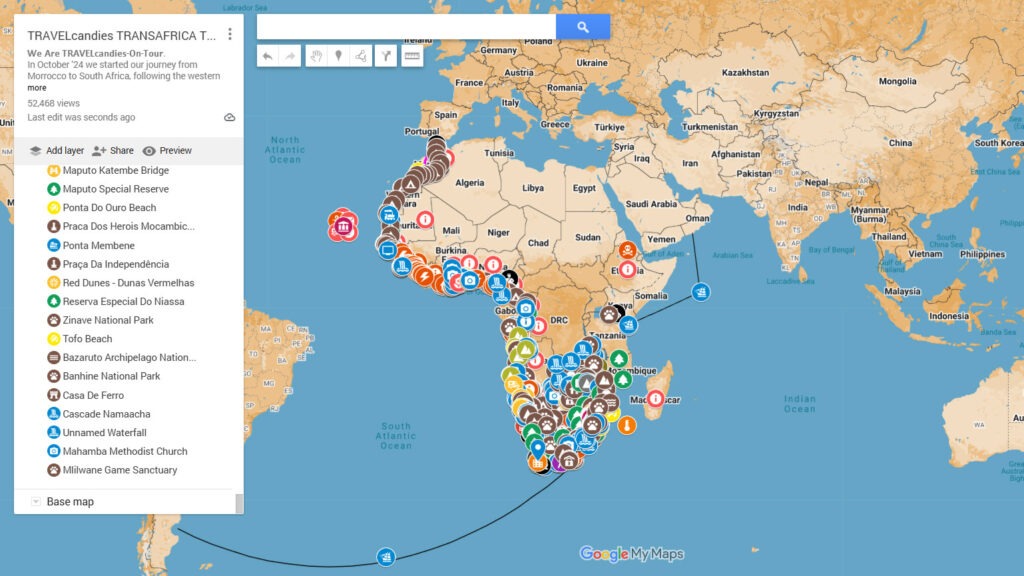
The map connects routes, borders, delays, road conditions and logistics into one clear picture.
It supports decisions, it doesn’t replace them. Use it as orientation, not instruction.
What it is
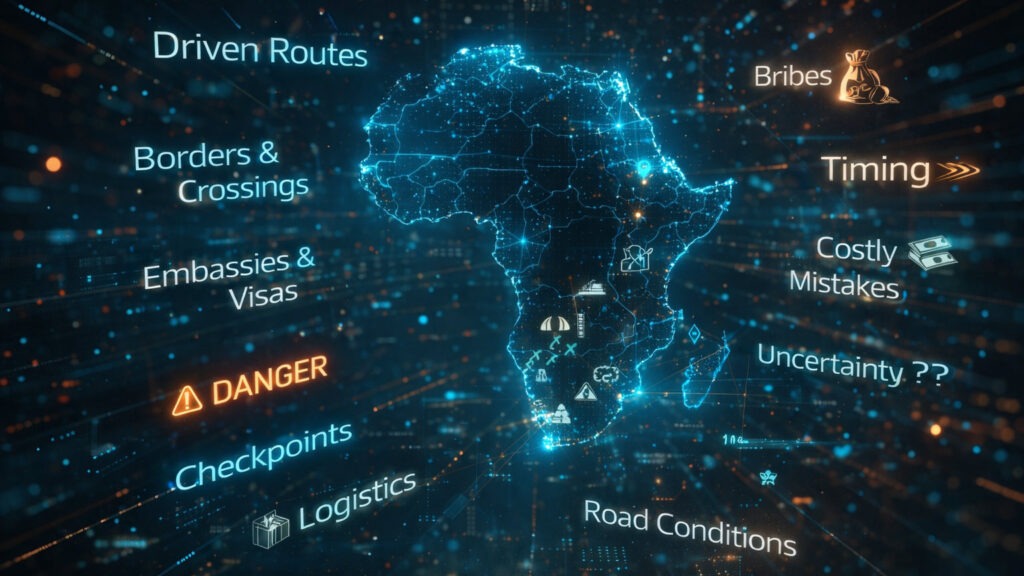
. Driven routes and tested waypoints
. A realistic view on borders, logistics and road conditions
. A tool to reduce uncertainty and costly mistakes
What it isn’t
. A guarantee
. An inspiration map
. A fixed itinerary
Who it’s for
For travelers and overlanders who don’t just drive off and hope for the best. Many, many turn back – not because they lack courage, but because they misjudge timing, paperwork, weather, roads or costs.
Use it like a compass, not like autopilot.

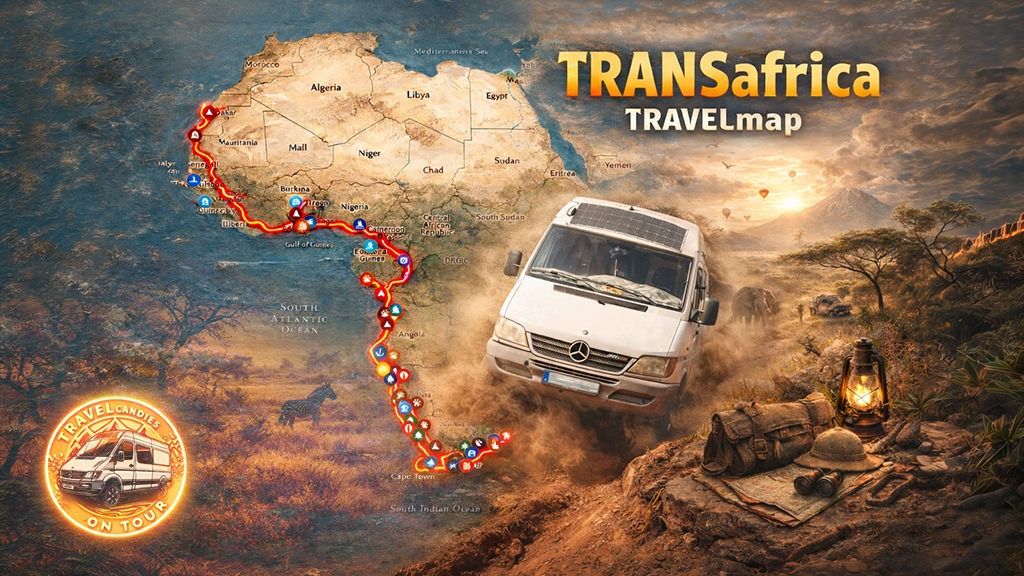
What You’ll Find On The Map
Country Infos
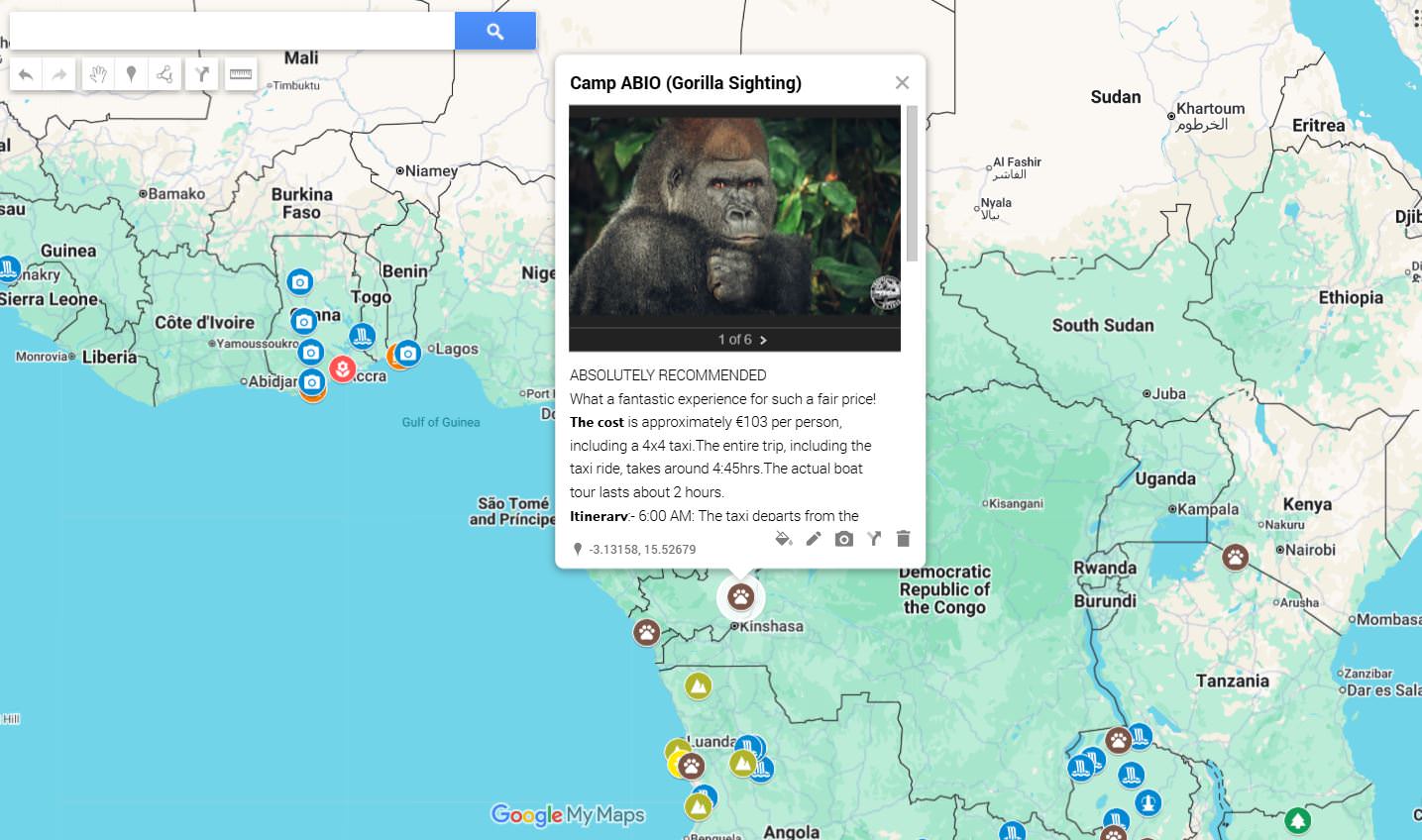
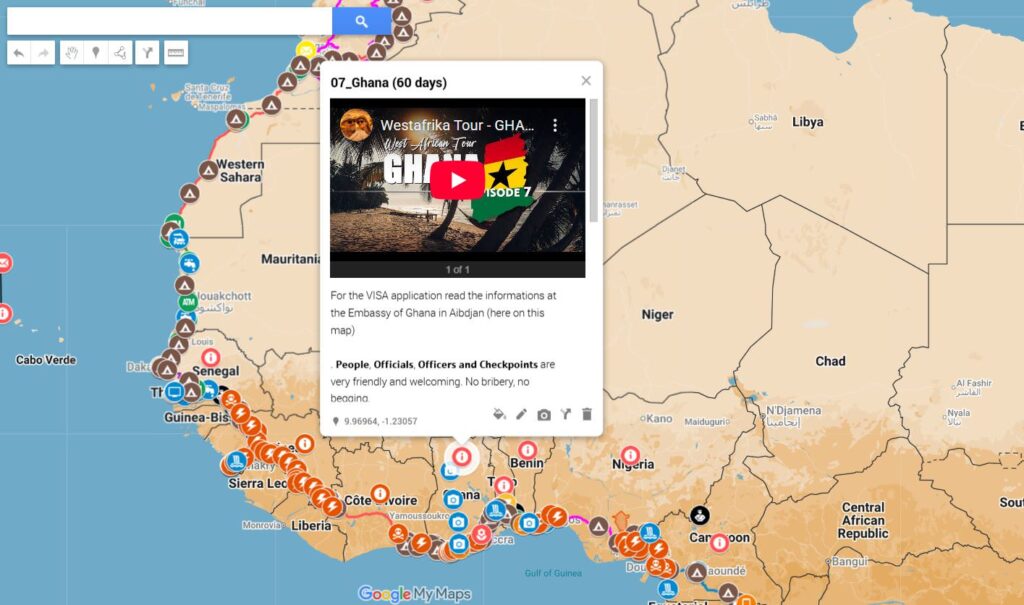
Country-specific information for overland travel, including practical notes, local conditions and an info marker in every country we visited. Each country info includes photos and a linked YouTube video for real context beyond text.
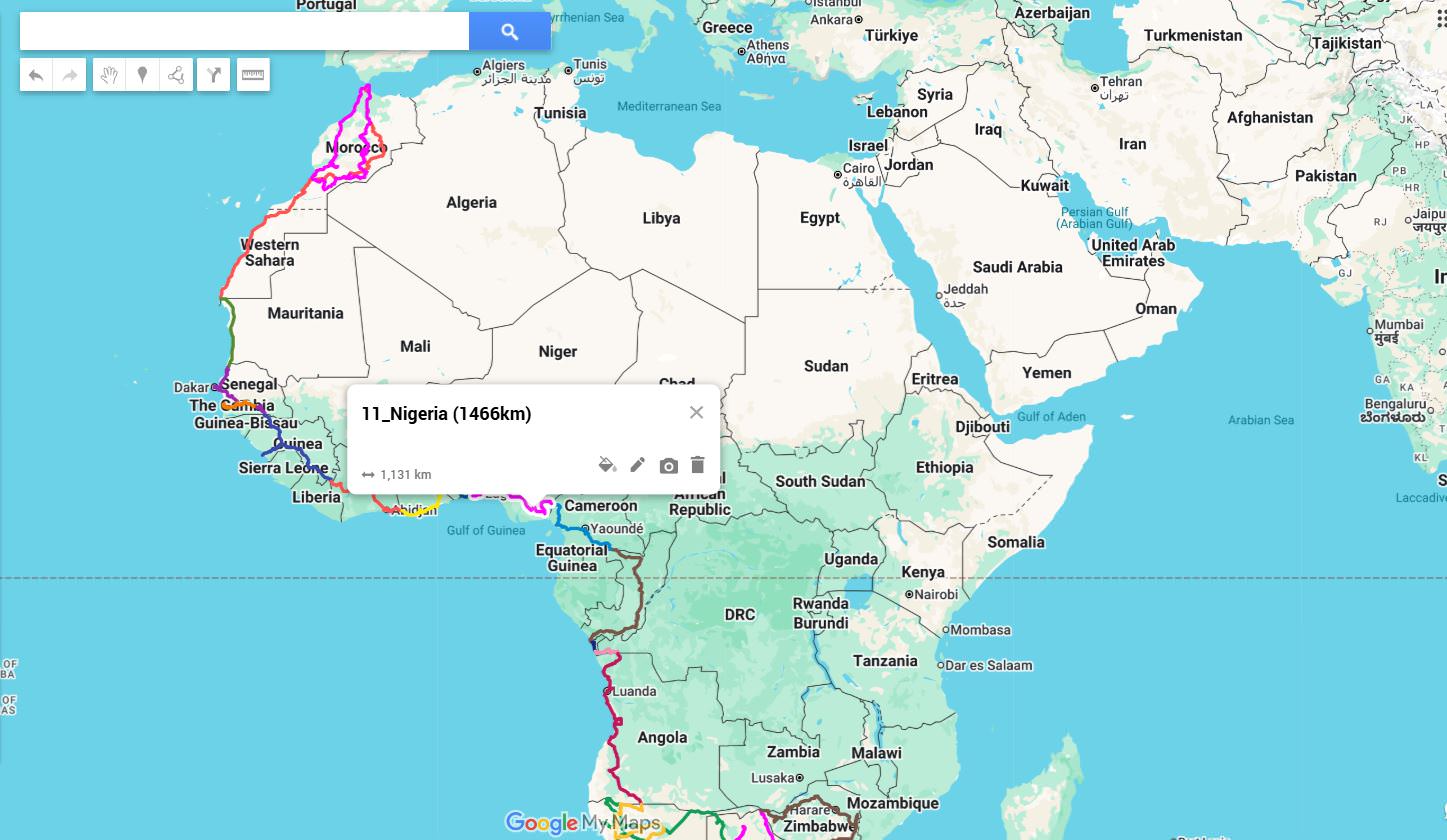
Driven Routes (34,029 km)
Routes that have been physically driven, recorded with a GPS tracker and documented. Includes photos from the road to show real conditions.
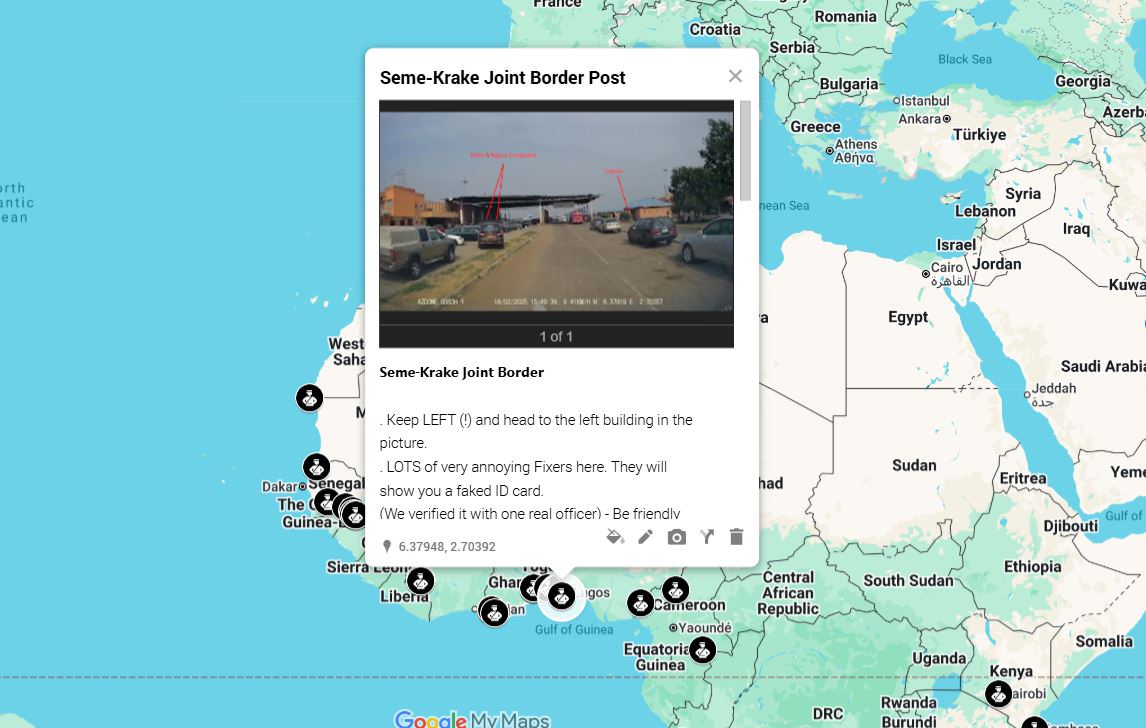
Borders & Checkpoints
Border crossings and internal checkpoints that were actually used. Supported by photos and occasional videos to illustrate procedures, waiting situations and complexity.
Embassies, CDP & Immigration
Relevant embassies and immigration-related locations, including carnet de passage handling. Where useful, visual material is included to document locations and processes.
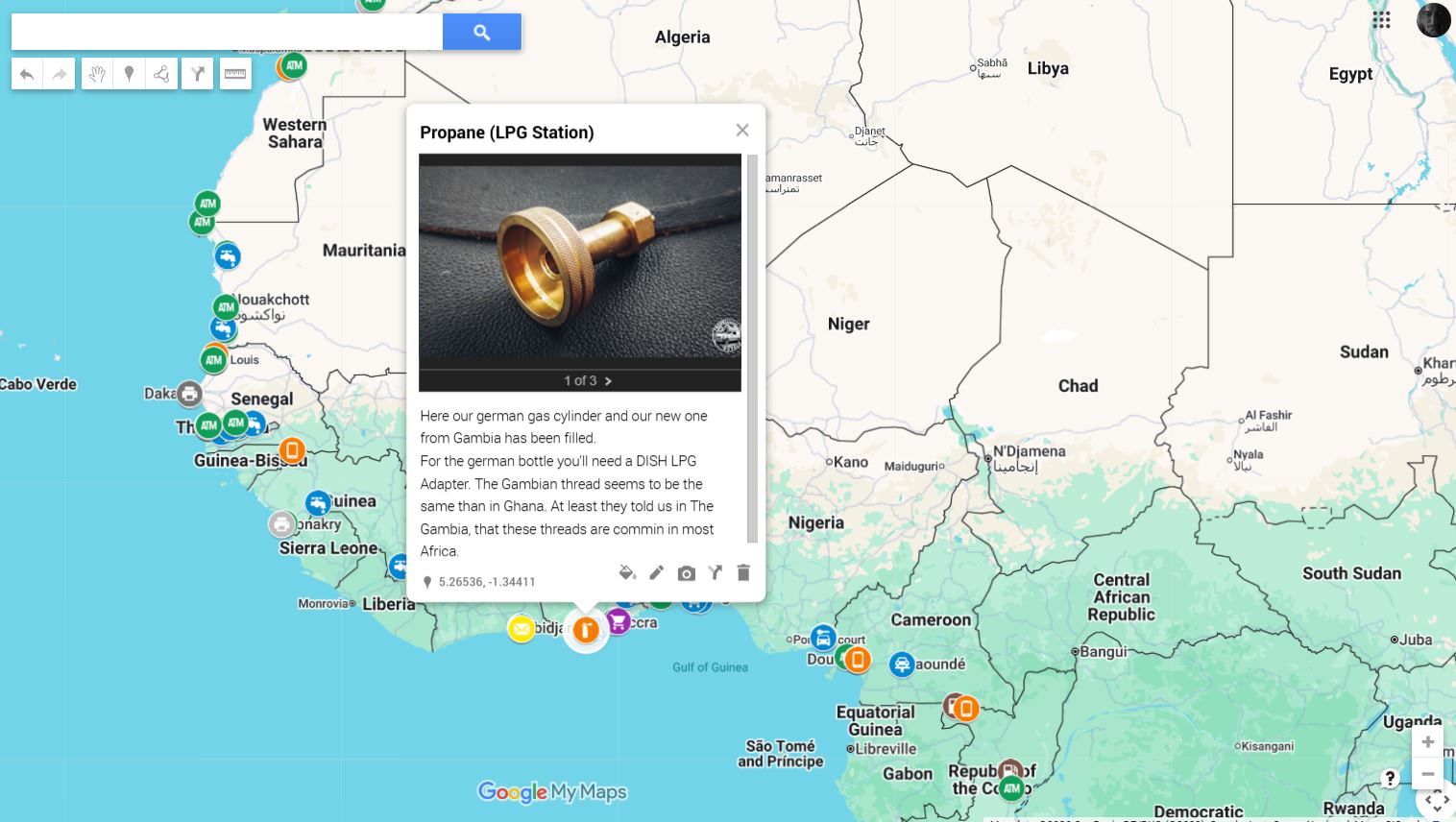
Logistics
Practical logistics such as fuel, supplies, repairs, SIM cards, water, LPG/gas, restaurants and several other usefull businesses and services. Many entries include photos showing availability and conditions on the ground.
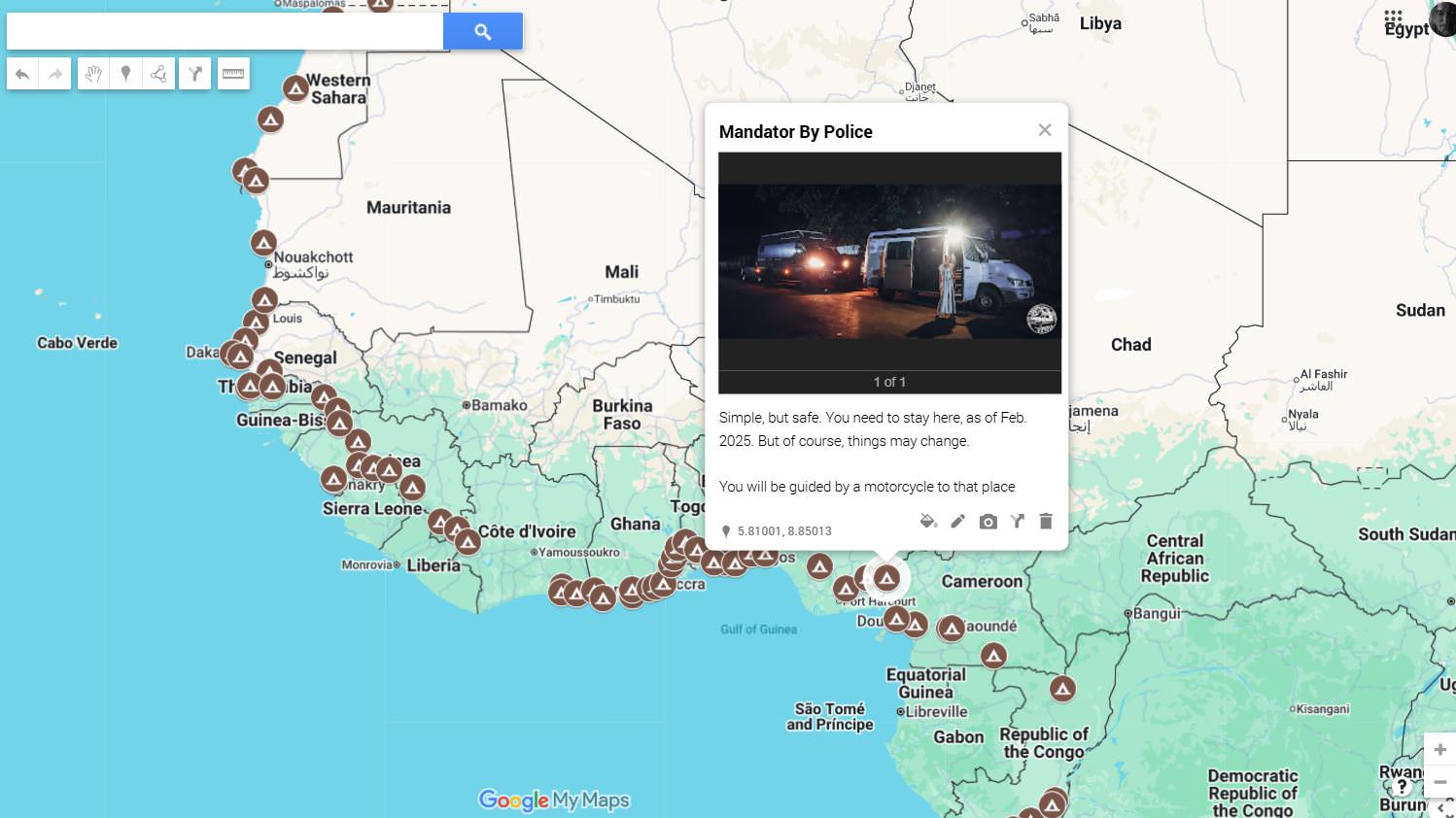
Overnight Camps
Wild Camp spots or official camp sites used or evaluated during travel, including camps and practical stopovers. Most locations include photos to give a realistic impression.
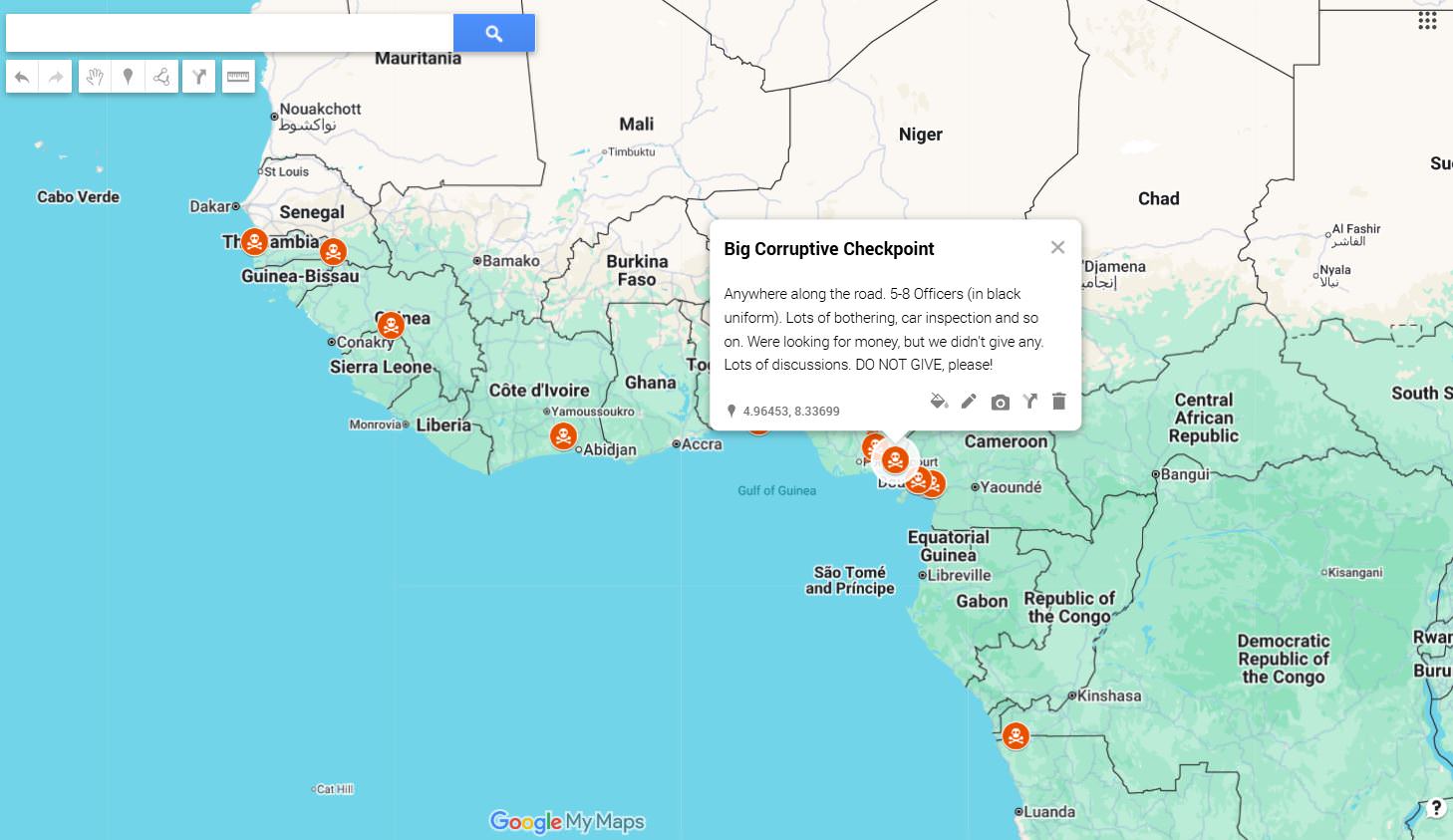
DANGER
Areas or situations that require increased awareness. Visual material is included where it helps to understand context, without sensationalizing risk.
Road Conditions
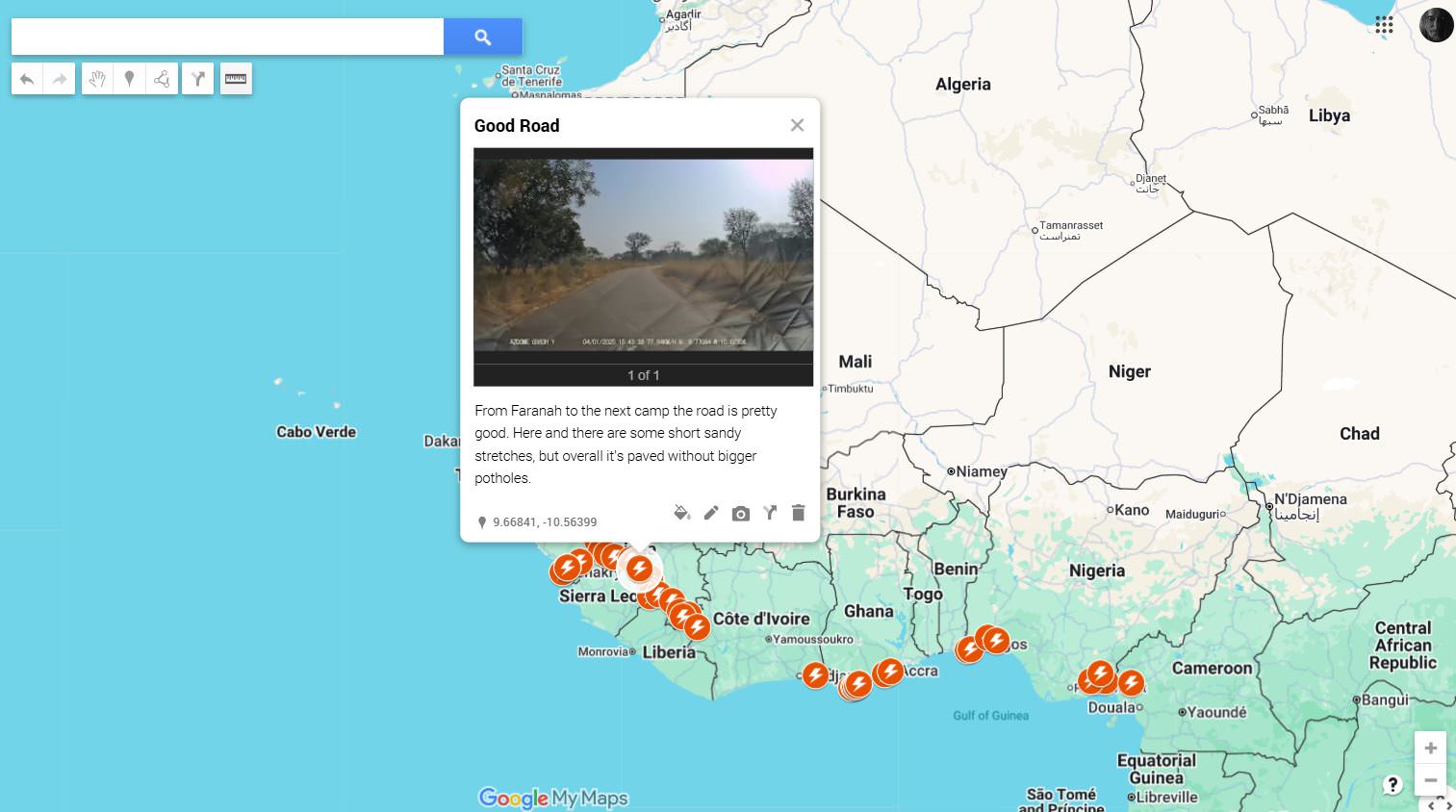
Road quality, surfaces, seasonal problems and slow sections. Photos and videos are used to show what a road actually looks like when it matters.
Sightseeing POIs
Selected points of interest that are genuinely worth stopping for. Entries often include photos or videos to show what makes them relevant.

How TO USE the map properly
The map works on all devices. Appearance and behavior may vary depending on screen size and operating system. This is defined by Google, as the map is based on Google My Maps.
On the left side you’ll find the main menu. Google limits My Maps to a maximum of 10 layers, which is why some content is grouped. For example, all POIs across all countries are combined into a single layer.
Depending on your device, the menu may already be visible or collapsed. On some devices it appears when you swipe up from the bottom of the screen, on others when you swipe from left to right. This behavior is also controlled by Google and cannot be customized.
Layers can be shown or hidden by simply enabling or disabling the checkbox. This allows you to focus on what’s relevant at any given moment.
Some layers contain grouped points. A typical example is DANGER, where multiple entries share the same icon. These layers can be expanded or collapsed to show or hide individual points.
Sightseeing POIs are not grouped. Each location uses a specific icon that reflects what it represents, such as waterfalls, forests, viewpoints, or landmarks. This makes it easier to distinguish them directly on the map without opening lists.
The idea is simple: turn layers on and off depending on what you need right now. Planning, orientation, or problem-solving.
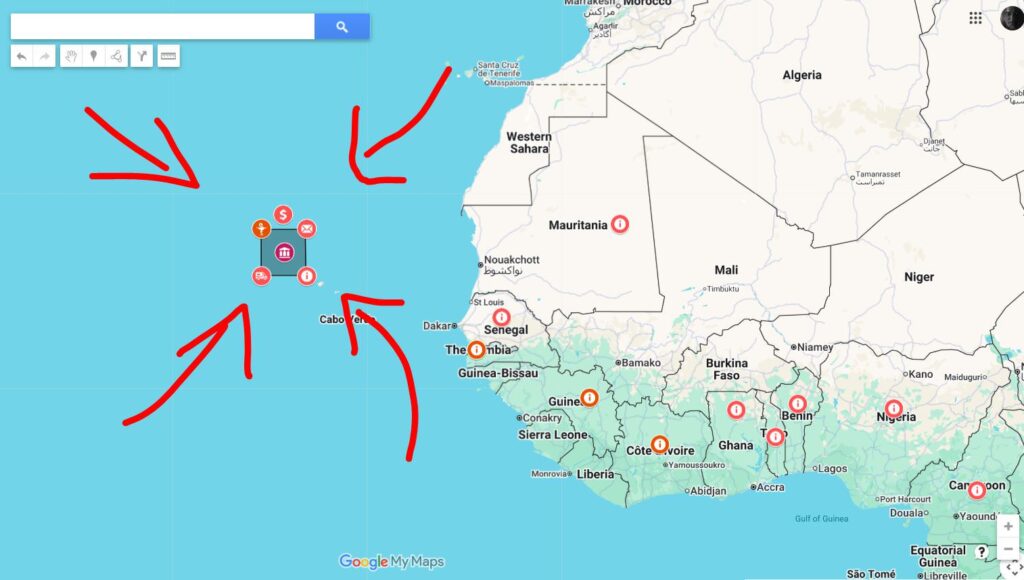
Additional notes for the icon cloud on the left of Africa.
The icon cloud highlights the key areas that shape long-distance travel across Africa. Each symbol stands for a specific field of information that becomes relevant at different stages of the journey, from early planning to daily decisions on the road.
Behind each icon you’ll find focused notes on topics such as health precautions, documents and visas, vehicle readiness, water and food handling, fuel and gas, finances, navigation, safety, waste and personal mindset.
Taken together, the icons reflect how many parallel factors influence progress. Travel rarely fails because of one big issue, but because several small ones add up. Addressing them early, keeps routes open and choices flexible once you’re underway.
On the lower right of the map (between Africa and Madagascar), you’ll see a temperature icon, representing a climate spreadsheet, which represents the temperatures and rainfalls based on the historical weather from 1991-2023.
(Source: Climate Knowledge Portal)
Final Notes, Limitations and Access
Update Status
The map is updated continuously while we are on the road. All information reflects real conditions at the time of travel and is adjusted when routes, borders, or procedures change. Still, Africa changes faster than any map can keep up, so critical points should always be checked shortly before reaching them.
Reality Check
Borders change rules overnight. Visas get reinterpreted. Roads disappear after a single rainy week. Security situations can shift without warning. This map reduces uncertainty, but it cannot remove it.
Technical Limitations
The map is built on Google My Maps and follows Google’s technical constraints. Google allows a maximum of 10 layers, which is why some content is grouped. Layout and performance may vary depending on device and operating system. Offline use is limited by the platform itself.
Responsibility
This map does not replace personal responsibility. Route choice, timing and decision-making remain entirely with the traveler. What worked for us at a specific time may not work the same way later.
Who this map is not for
This map is not intended for short trips, guided tours, or travelers who deliberately avoid planning. If you prefer pure improvisation, this tool will likely feel restrictive rather than helpful.
Access, donations and future pricing
The map will remain accessible and completely free of charge. A small donation as a sign of appreciation is welcome, but absolutely not required. As a thank you, donors receive the map as a KML file, which can be imported into their own navigation apps.
If you’d like to donate, you can do so via PayPal at:
𝗶𝗲𝗱𝗻𝗹𝗮𝗯@𝗳𝗼𝗼𝘁𝗮𝗴𝗲𝗰𝗮𝗻𝗱𝗶𝗲𝘀.𝗰𝗼𝗺
Use the map critically. Plan carefully and keep in mind that the road always has the final say.
Already interested?
Drop us a mail and we’ll be with you in no time😊